Best Santa and Christmas apps
for Android in 2026
From a personal call from Santa to the NORAD tracker and the family wish list. What each app does, what it costs, what the Play listing gives away, and how to stop a December of accidental purchases.
Calls from Santa
1. Call from Santa — Santa calls, and you decide what he says
This is the only app in this list where the parent builds the call instead of picking a ready-made one. It sounds like a detail, and it is the whole difference between “Santa says your child’s name correctly” and “Santa knows Mila lost a tooth on Tuesday”.
You go through three steps in the parent area. First you choose where you are in the story: Santa is still at the North Pole, Santa has already landed, tonight is Christmas Eve, Santa is on his way back home. That decides what the call is about. Then you fill in your child’s name, with an optional field for how it is pronounced, so Santa says “Mee-la” rather than guessing.
Then you build the content: a compliment, a little task, something that happened this week, the wish list, and a question your child can answer out loud. Every part comes with suggestions you can pick, and every part can be typed yourself instead.
Then you listen to the whole message back. If something is off, you change it and listen again. Only when you are happy do you choose whether the phone rings now, with thirty seconds to get the handset ready, or whether it is set up for later that evening.
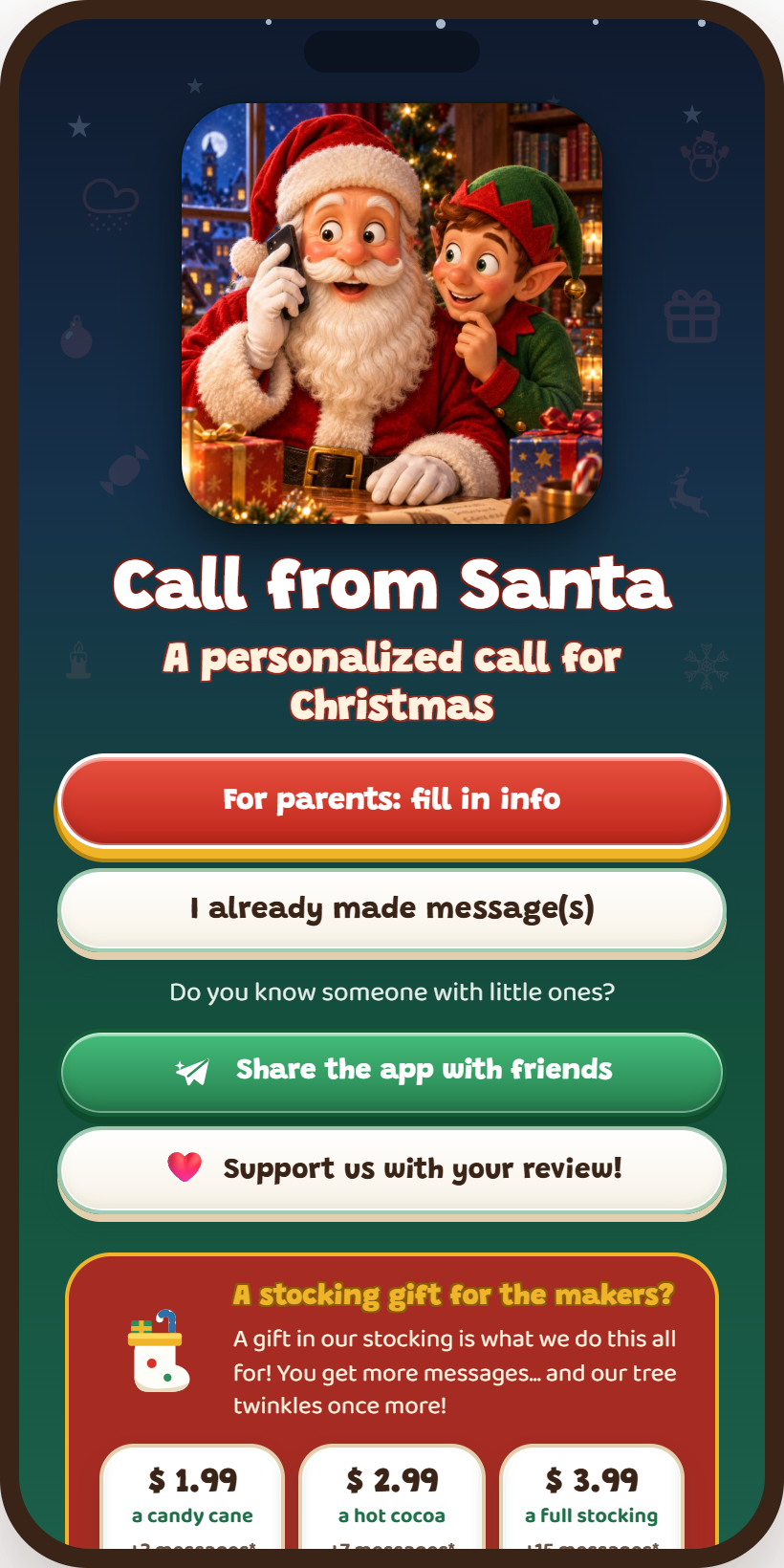
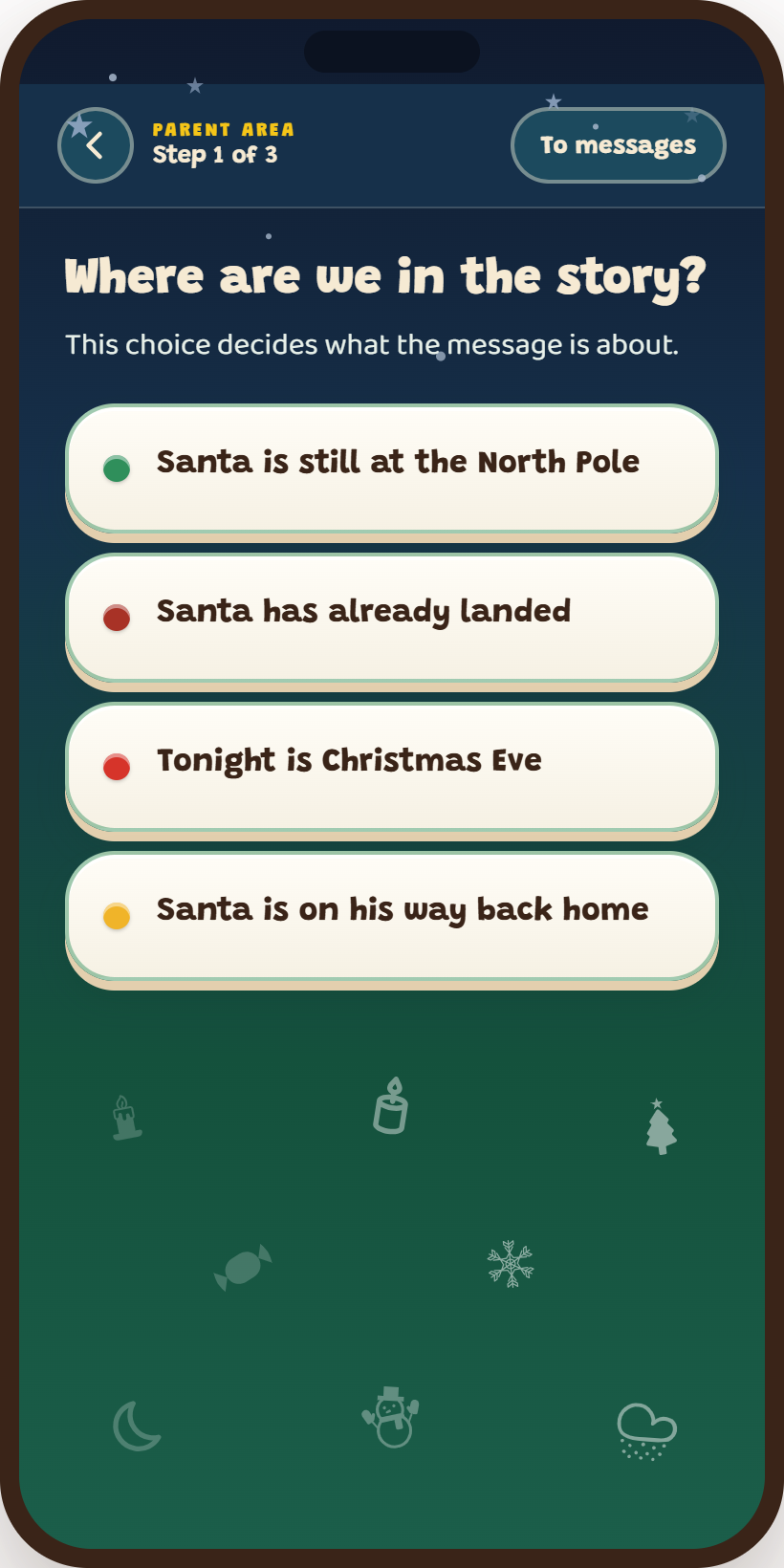
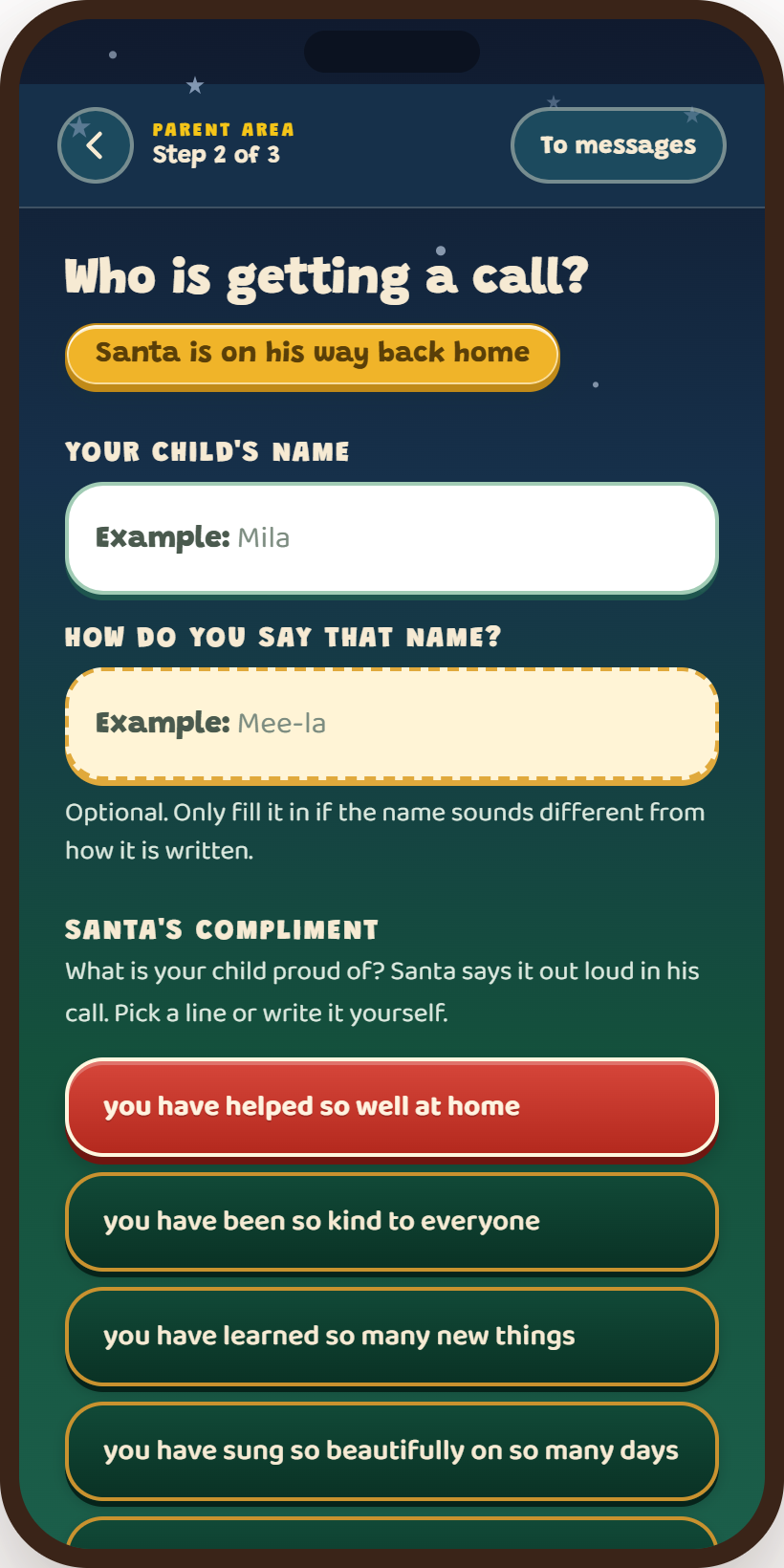
The home screen, then step one where you choose the moment in the story, then step two where you set the name, the pronunciation and the compliment.
What it costs: the first three messages are free. After that 3 messages for €1.99, 7 for €2.99 or 15 for €3.99. No subscription, no automatic renewal, no forced ads, and it never asks for a photo of your child.
Best for: parents who want the call to be about their actual child, and anyone with an anxious child who should hear nothing about the naughty list.
2. Portable North Pole
The giant of this category: ten million downloads and a 4.6 average from more than half a million ratings, updated this month. More than forty scenarios, over fifty scenes, bedtime audio stories, and a live “Talk to Santa” with up to ten personalised exchanges, which is the most ambitious thing anyone here is doing.
Personalisation works by choosing. Even the feature called Write Your Own Topic is explained on their own site as “You choose the subject”. The subject, not the words.
Two things to weigh. They publish no price anywhere on their own website; you find out at checkout, and it varies by country. And their store listing says Santa uses your child’s name, age and photo. To their credit, their help centre states they run no third-party advertising.
3. Video Call Santa
Santa on screen, and on iPhone it is one of the best-rated of the lot: 4.7 from 160,000 ratings. You pick one of 46 pre-recorded episodes and choose a name from a list of more than 7,000.
The developer is open about what it is: “Video Call Santa currently uses pre-recorded Santa videos”, and the Play listing says all video calls are pre-recorded simulations. The recording is yours to keep.
The catch is the name list. Individual names cost $1.99, so an unusual name or a second child is a separate purchase on top of the pack.
5. Message from Santa
The widest feature set for the least money: a recorded video, a simulated call, voicemail and a chat, with a yearly plan at $9.99. Five million downloads and a 4.8 on iPhone.
It is also the only one here with ads on both platforms and an in-app purchase literally called “Unlock All Features & Remove Ads”. The videos are a choice of three ready-made ones with your child’s name and photo added, and the calls and messages are, in their own words, “simulated and powered by AI”.
Not on Android: Speak to Santa Pro
The paid Pro Edition is an iPhone listing. On Android you use the free Speak to Santa app with an in-app upgrade, which is the better deal anyway given the Pro app has not been updated since 2021.
Tracking and the rest
6. NORAD Santa Tracker
Running since 1955, free, and with no catch at all. Put it on around five o’clock on the 24th and let the children check where he is between courses.
It also hands you the only bedtime argument that has ever worked: he will not come while you are awake.
Music and wish lists
8. Christmas music, without another app
Apple Music and Spotify both run Christmas stations from late November, and you almost certainly pay for one of them already.
Download one playlist for offline use before you leave the house. The weakest link in Christmas Eve is the wifi at someone else’s place.
9. Wish lists the whole family can see
Giftster, GiftList and similar apps all do one job: a shared list where relatives can tick something off without the others seeing it.
Ten minutes to set up, and it saves two duplicate presents every single year. Pick whichever one most of the family already has installed.
Before you install anything
10. What to set up in the Play Store first
Open the Play Store, go to Settings, then Authentication, and require a password for every purchase.
With Family Link you can block purchases entirely on your child’s device.
Read the Data safety block on every listing: what is collected, what goes to third parties, and whether you can have it deleted. And look for one thing above all: does it want a photo of your child?
Frequently asked questions
What is the best Santa app?
For a personal call where you decide what Santa says, Call from Santa is the only one where the parent builds the message. For the biggest production with the most scenarios, Portable North Pole. For Santa on screen, Video Call Santa. For free tracking on Christmas Eve, NORAD.
Are Santa apps free?
All of them are free to download and all of them charge inside the app. Portable North Pole publishes no price at all until checkout, and Speak to Santa lists the same purchase at two different amounts.
Which Santa apps ask for a photo of your child?
Portable North Pole, Message from Santa and Personalized Call from Santa all do, according to their own listings. Call from Santa does not.
What age are Santa call apps for?
Roughly three to nine. Below that a child does not follow the call; above it most children are already working it out for themselves.
Written by Flying Dutchman Studios, makers of Call from Santa. Information about the other apps comes from their own store listings and websites, read on 28 October 2026. Prices and features change, and prices differ by country. Spotted an error? Email hello@flyingdutchmanstudios.app.